3
21.BatchOperation
Physton edited this page 2023-06-11 18:17:10 +08:00
Batch Operation
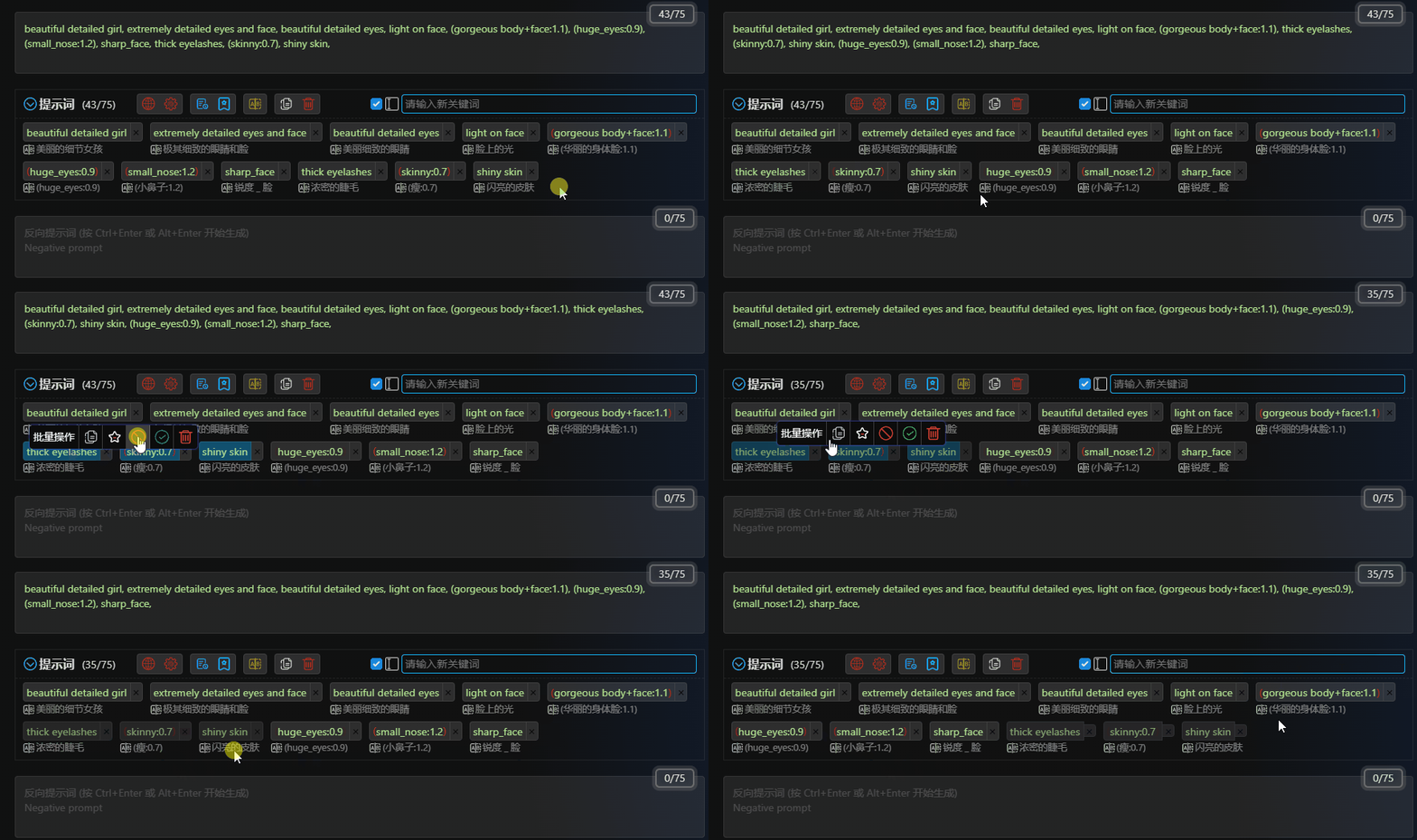
Drag your mouse over the keywords that you want to perform batch operations on while holding down the mouse button in an empty area. This will display the batch operation panel.
Dragging the selected keywords allows you to move multiple keywords together to a specified location.
-
Copybutton: Copy the selected keywords to the clipboard. -
Bookmarkbutton: Bookmark the selected keywords to your bookmarks. -
Disablebutton: Disable the selected keywords. -
Enablebutton: Enable the selected keywords. -
Deletebutton: Delete the selected keywords.