安装
安装方式
方式一(使用git克隆):
此方法需要你的电脑上安装了 git,如果没有安装,可参考 git 官方文档 进行安装。
-
打开终端,进入到你的
stable-diffusion-webui目录下。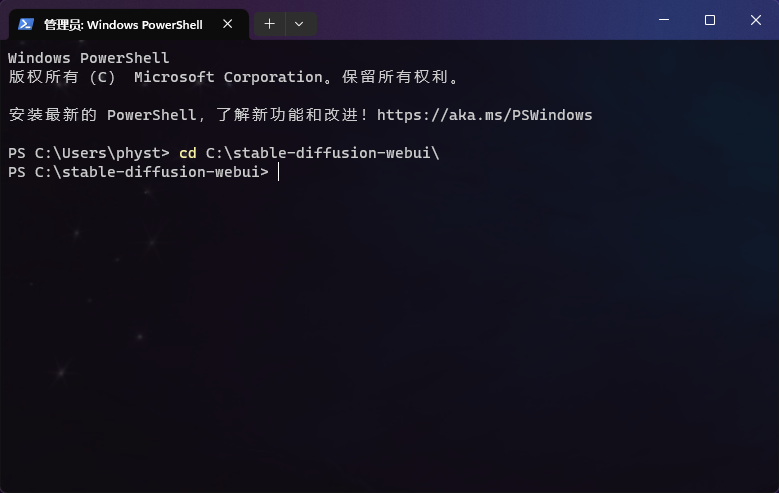
-
使用 git 克隆
sd-webui-prompt-all-in-one到stable-diffusion-webui\extensions目录下。git clone "https://github.com/Physton/sd-webui-prompt-all-in-one.git" extensions/sd-webui-prompt-all-in-one如果你的终端没有访问Github的网络环境,可使用以下中国镜像网站的地址:
git clone "https://gitee.com/physton/sd-webui-prompt-all-in-one.git" extensions/sd-webui-prompt-all-in-one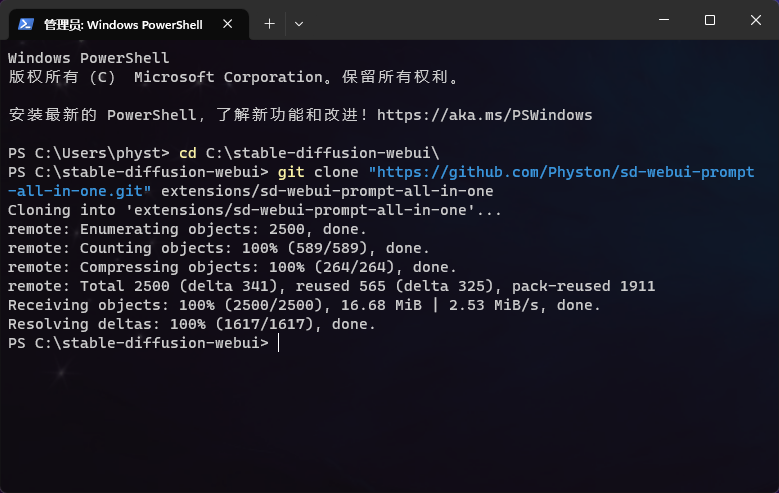
-
重新启动 Stable Diffusion WebUI。
方式二(从网址安装):
-
打开 WebUI 网页。
-
点击
扩展-从网址安装。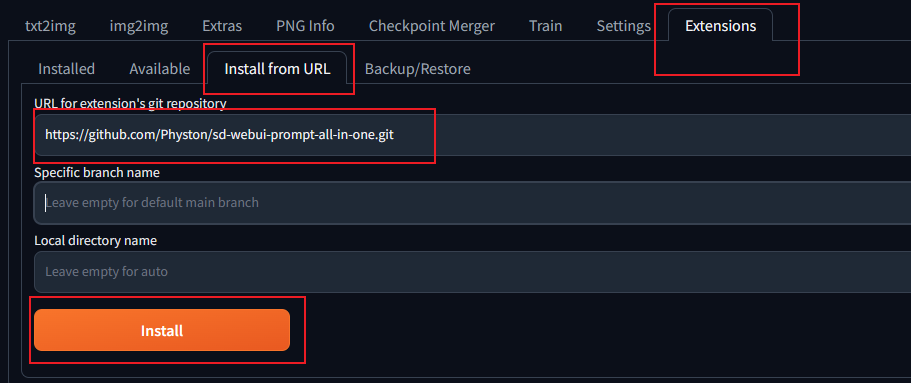
-
填写
https://github.com/Physton/sd-webui-prompt-all-in-one.git。如果你没有访问Github的网络环境,可使用以下中国镜像网站的地址:
https://gitee.com/physton/sd-webui-prompt-all-in-one.git -
点击
安装,等待安装完成。此过程可能需要几分钟或更久的时间。安装完成后会有成功提示。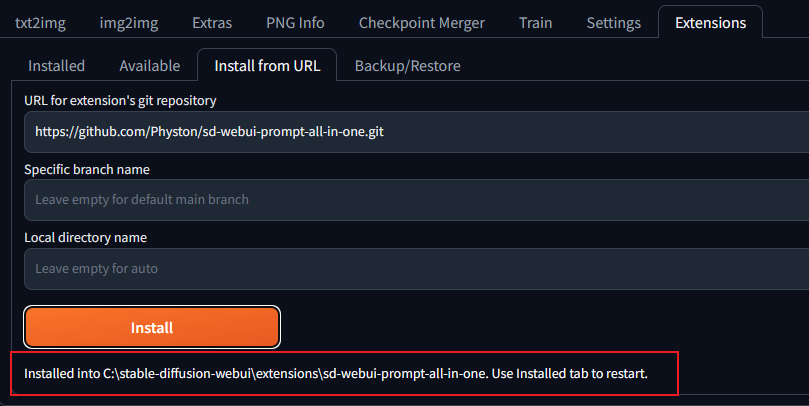
-
点击
已安装-保存并重启UI。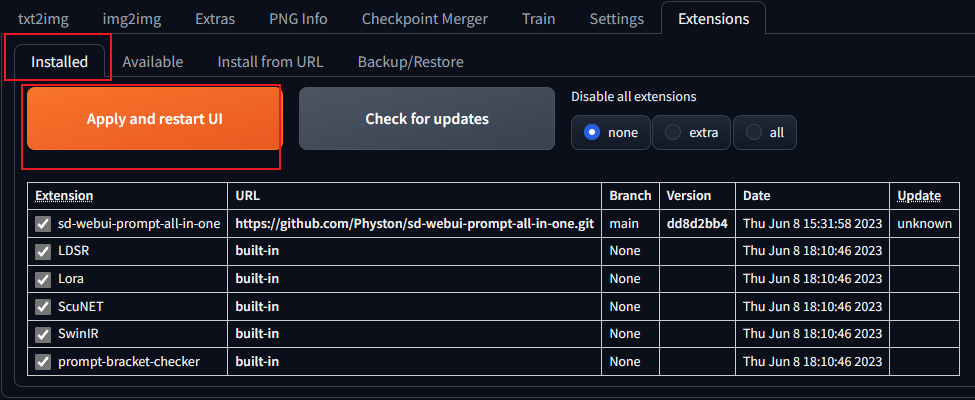
方式三(从官方扩展库安装):
-
打开 WebUI 网页。
-
点击
扩展-可用-加载自。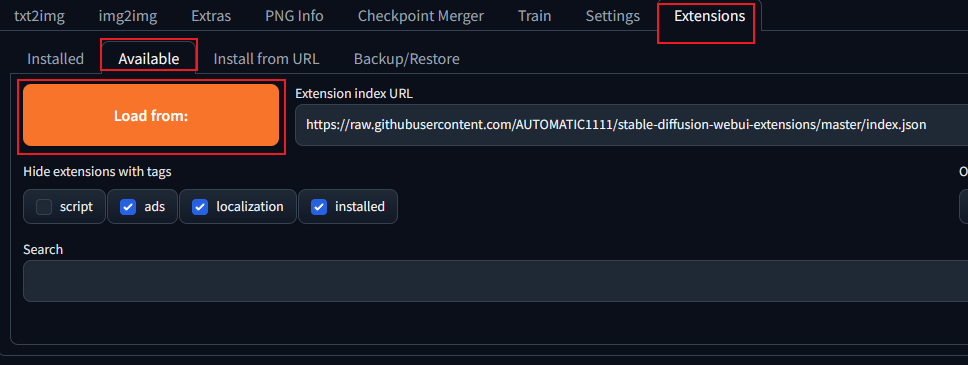
-
找到
sd-webui-prompt-all-in-one,点击安装。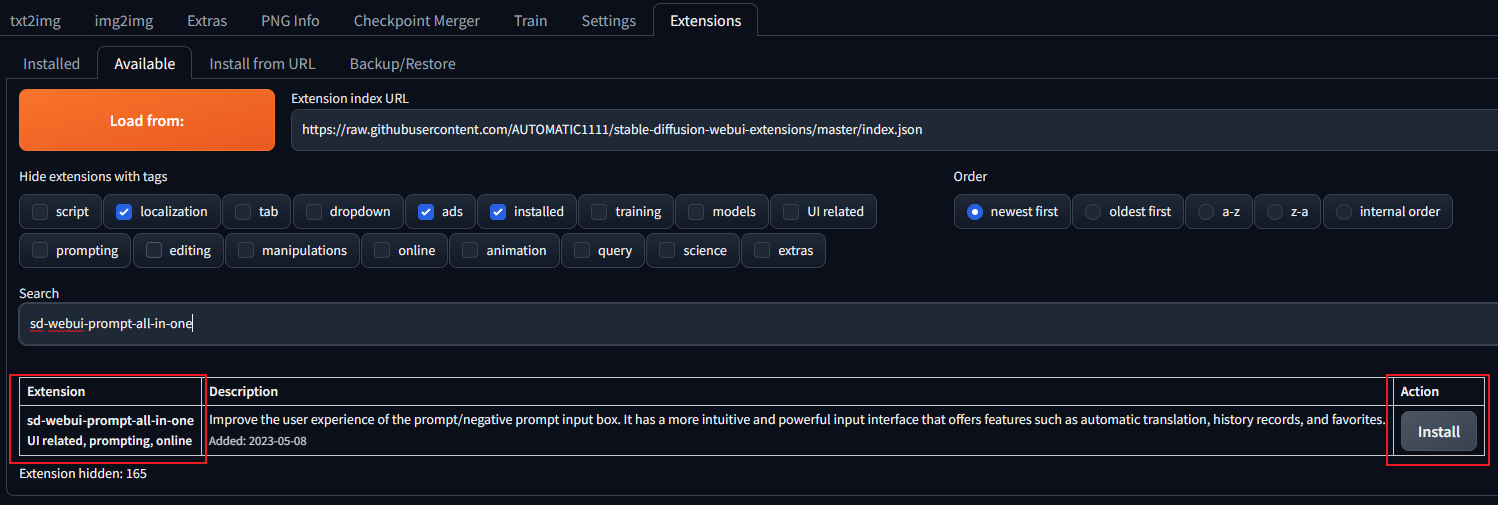
-
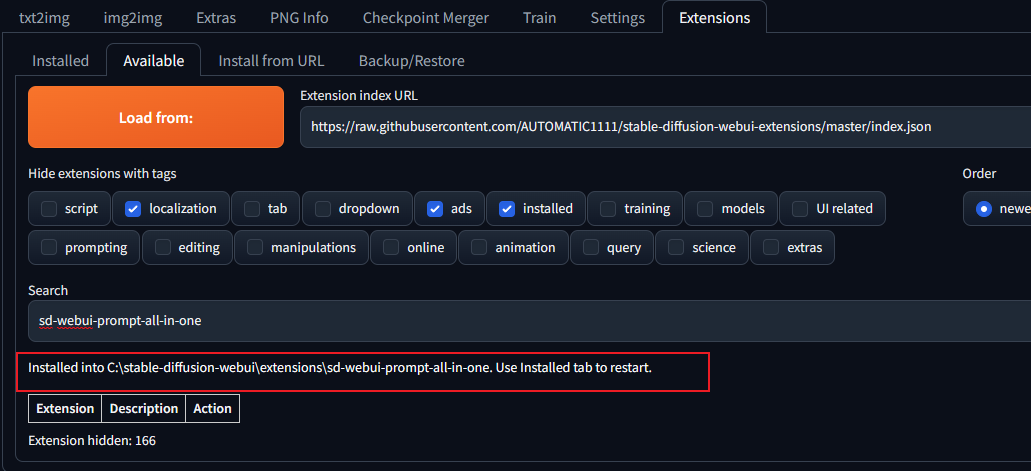
等待安装完成。此过程可能需要几分钟或更久的时间。安装完成后会有成功提示。
-
点击
已安装-保存并重启UI。
方式四(下载源码安装):
此方法安装无法一键更新,不推荐!!!
-
下载
sd-webui-prompt-all-in-one的源码压缩包。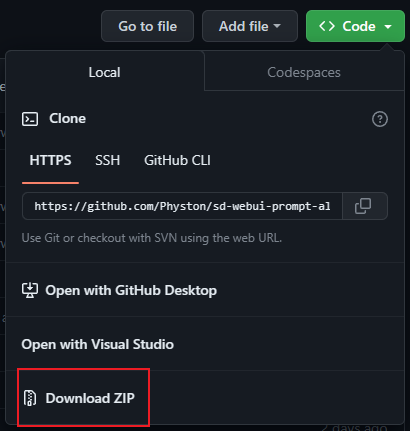
-
解压到
stable-diffusion-webui\extensions目录下。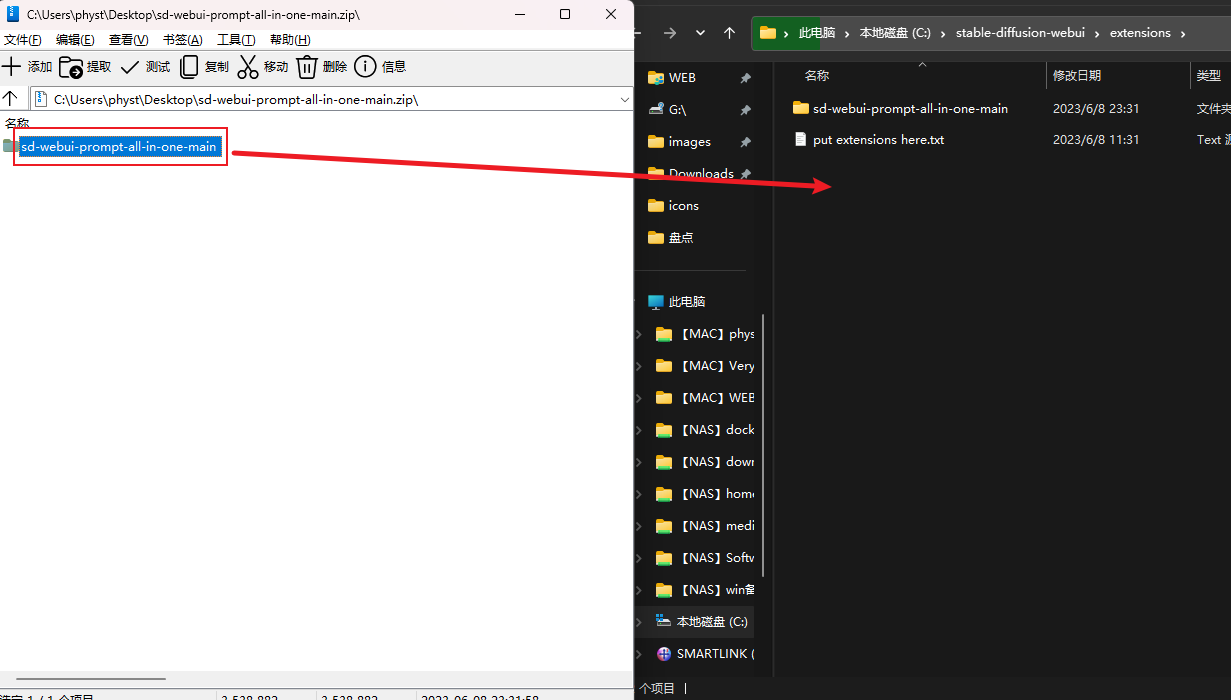
-
重新启动 Stable Diffusion WebUI。
注意事项
-
任何方式安装,在安装完成后,都需要重新启动 Stable Diffusion WebUI。
-
任何方式,在安装过程中,如果出现错误。都需要手动删除
stable-diffusion-webui\extensions\sd-webui-prompt-all-in-one目录,然后重启 Stable Diffusion WebUI,再重新安装。 -
安装过程可能需要几分钟或更久的时间,请耐心等待。
-
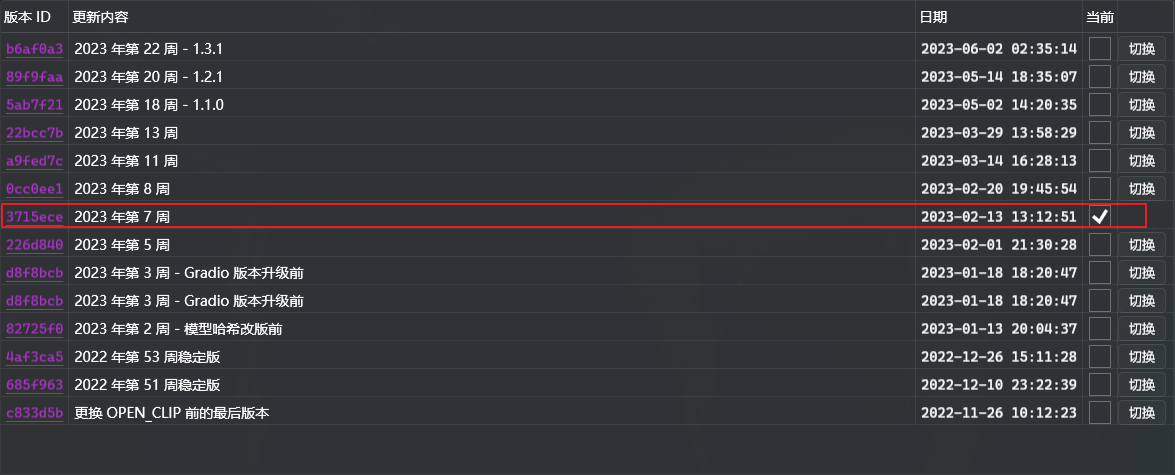
你需要确保你的WebUI版本是 3715ece(2023年第7周) 及更高。如果你的WebUI版本低于此版本,你需要更新WebUI。
-
在启动了
--data-dir参数后,WebUI需要增加参数--gradio-allowed-path="本扩展路径"。如果不添加
--gradio-allowed-path参数,大部分第三方扩展都不能够使用,不只是本扩展。--gradio-allowed-path="你的Data文件夹路径\extensions\sd-webui-prompt-all-in-one"或者
--gradio-allowed-path="你的Data文件夹路径\extensions\"