Keyword Input Box
-
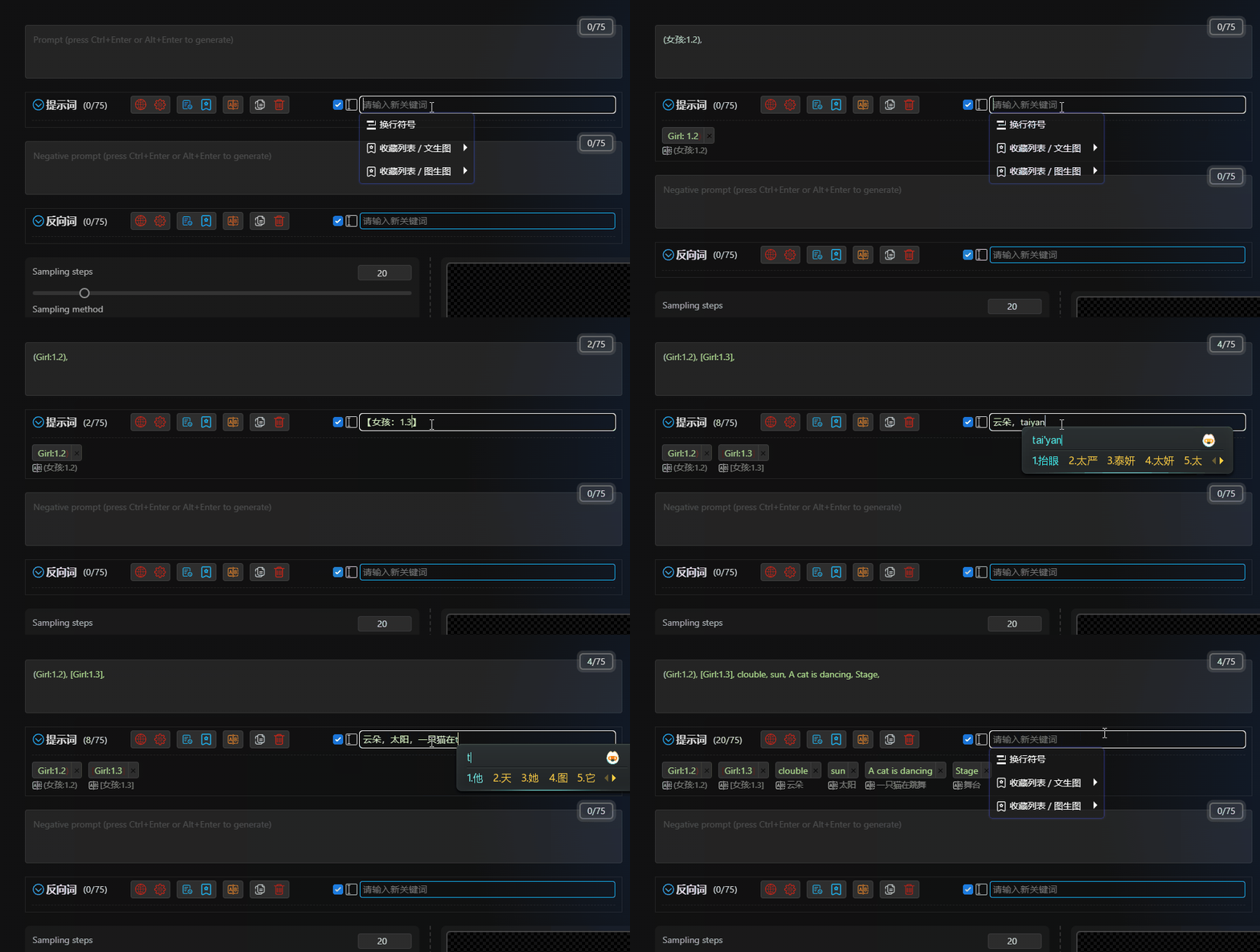
You can input in your local language, and if you have enabled automatic translation, your input will be automatically translated into English. If you haven't enabled automatic translation, you can manually click the translate button after inputting.
-
You can input non-English punctuation marks, such as
,,。,(),【】, etc., and they will be automatically converted to English punctuation marks, saving you the trouble of manually switching input methods. -
Supports the functionality of a1111-sd-webui-tagcomplete extension (requires installation of the extension).

-
When there is no content in the input box, clicking on it will display a dropdown menu. You can use the mouse to select the content in the menu, or use the keyboard's up, down, left, right, and enter keys to select different content. If you don't want to use the dropdown menu, you can go to Theme Style to turn it off.
-
You can select the
Line Break Symbolin the dropdown menu. It will insert a line break symbol in the WebUI input box. If you need theLine Break Symbolto actually display as a line break in the extension panel, you can go to Theme Style to enable this feature. -
You can select
Favoriteprompts from the dropdown menu and insert them after the current prompts. (TheUsebutton in the favorites folder clears the current prompts, while here it inserts them.)