History
Open the history record window
-
Move the mouse over the
History icon.
-
Open the
History window.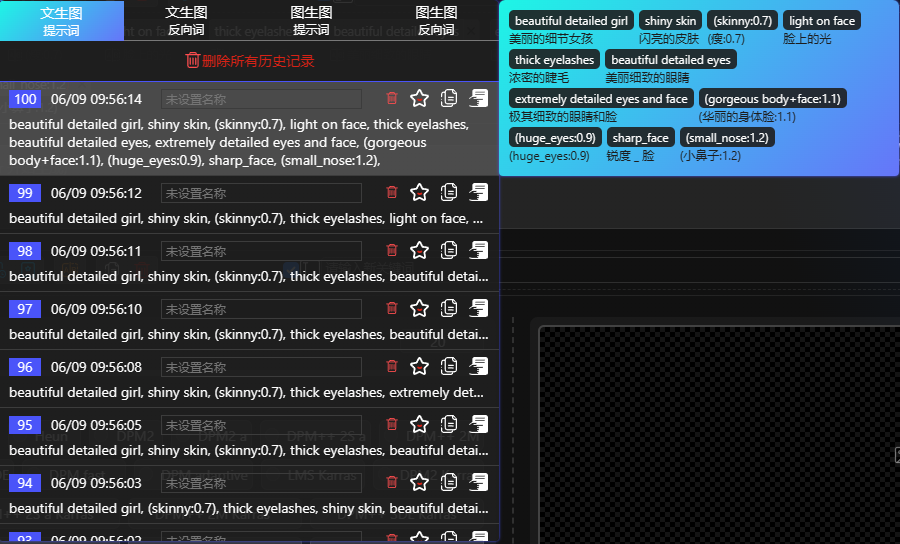
-
Every modification you make to the Prompt will be recorded in the history, which you can view and use at any time.
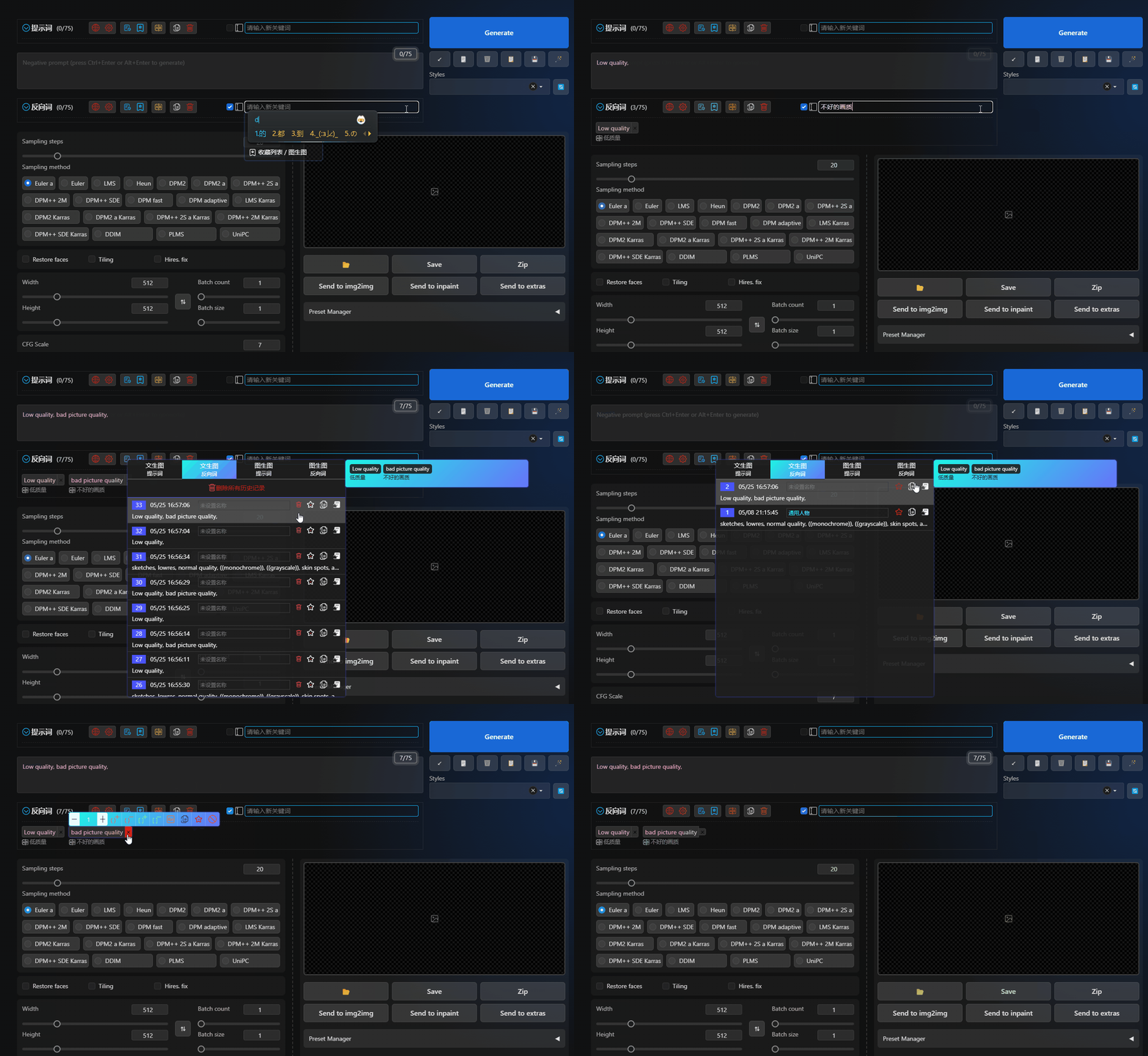
-
The history currently retains a maximum of 100 records. Once it exceeds 100, the earliest record will be automatically deleted.
Function Description
-
Delete all history records. Clicking it will delete all history records under the current category (cannot be restored).
-
Delete a single history record. Clicking it will delete the history record you selected (cannot be restored).
-
Favorite. Clicking it will add the selected history record to the Favorites, which will be permanently retained.
-
Copy. Clicking it will copy the Prompts in the selected history record to your clipboard.
-
Use. Clicking it will clear the Prompts you have entered and fill the input box with the Prompts in the selected history record.