4.1 KiB
sd-webui-infinite-image-browsing
A high-performance image (file) browser 😋.It is suitable for use in all places, and has been optimized for cloud computing, You can use thumbnails to quickly preview, so fast that you almost don't feel the loading time.
If you have any questions or suggestions about this project, please submit an issue on GitHub (Both Chinese and English are acceptable), or check the FAQ section at the bottom first.
Key Features
- Multi-tab and multi-pane like Chrome and VS Code. Create tabs and preview multiple folders, move files between panes.
- Supports using 'walk' mode to browse images, automatically loading the next folder
(similar to os.walk), allowing you to browse all images without paging. Tested to work properly with over 27,000 files. - It supports searching images using prompt, model, lora, etc. The used tags will be listed and tag pairs input prompt and tag translation are supported. Moreover, image search can be completed instantly.
- View image generation information, send images to other tabs, optional thumbnail preview, full-screen preview, and move.
- Preview based on the file tree structure, supports basic file operations as well as multi-select deletion/moving.
It is strongly recommended to use "Open in new tab" (in the upper right corner of the plugin startup page), which is much more comfortable than being embedded in Gradio. However, the "send image to other tab" function cannot be used in this mode.
Preview

Image Search
During the first use, you need to click and wait for the index generation. For my case with 20,000 images, it took about 15 seconds (with an AMD 5600X CPU and PCIe SSD). For subsequent uses, it will check whether there are changes in the folder, and if so, it needs to regenerate the index. Usually, this process is very fast.
Image search supports translation, and you need to place a "tags-translate.csv" file in the plugin folder. You can find this file in the issue . Feel free to share files for other languages to facilitate everyone's use.
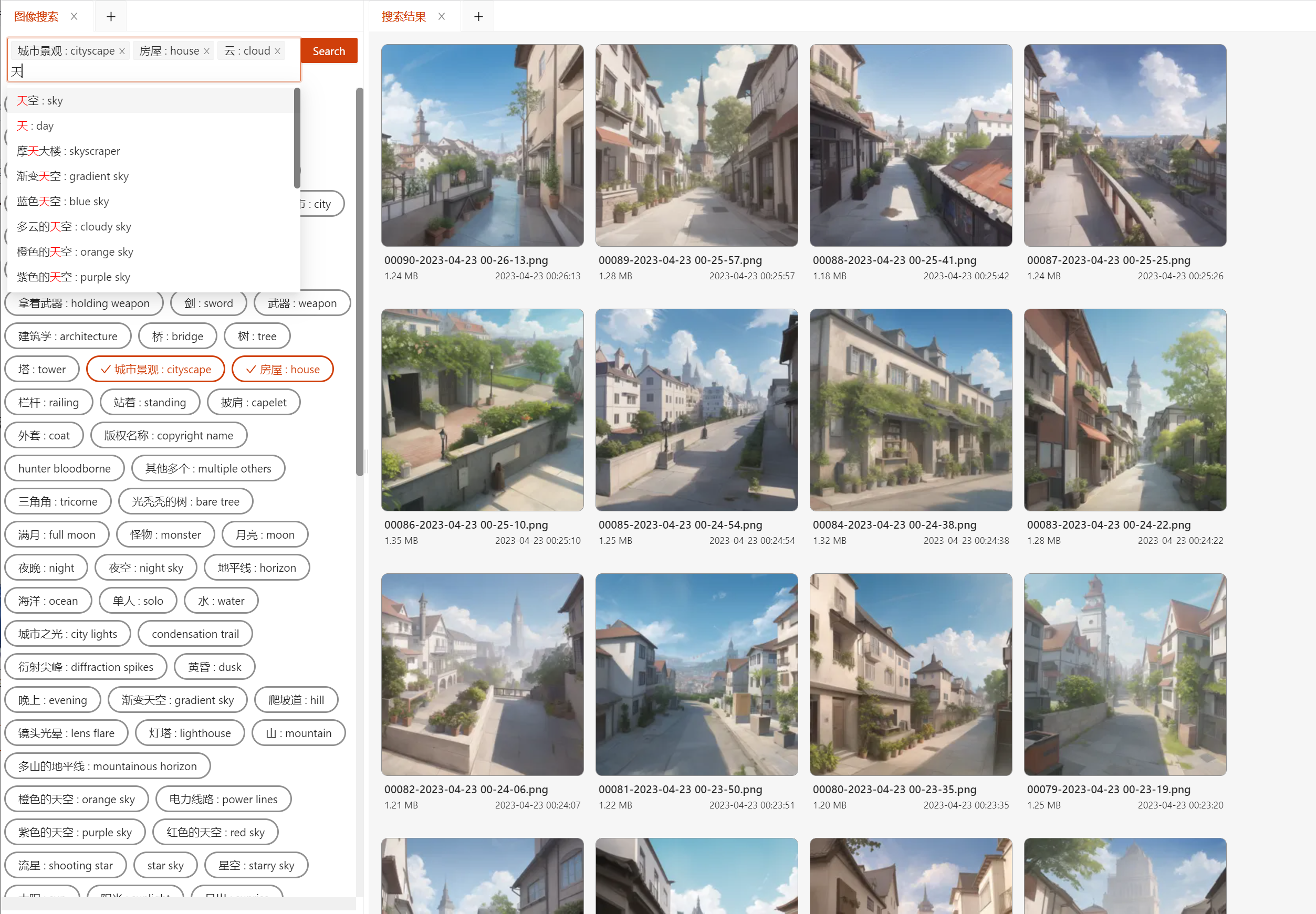
Full Screen Preview

Right-click menu

Walk mode
Dark mode

FAQ
How to open the right-click menu on mobile devices?
You need to enable "Support long press to open right-click menu" in the global settings first, and then use long press to perform the operation instead of right-clicking to open the right-click menu.

How can I control the sorting/display mode/copy the current page path/move to a specific folder?
You can choose the sorting method in the upper-right corner of the TabPane
More

How to reduce mental burden when opening a large number of sub-folders within a large folder for viewing?
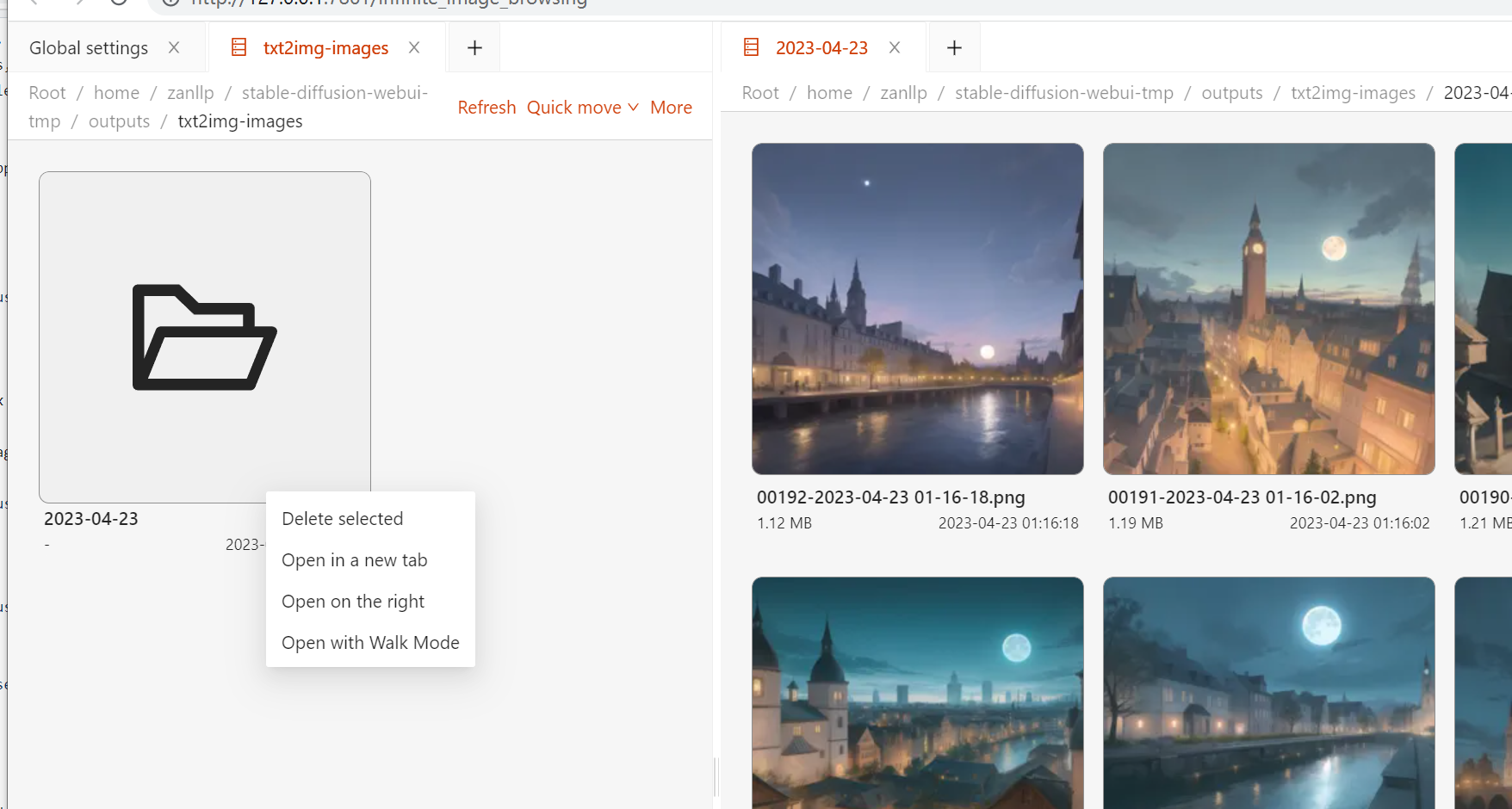
Recommend using the right-click menu of the folder, click 'Open in new tab' or 'Open on the right'.
Does it need to run independently of stable-diffusion-webui?
Refer to this baiduyun-web-transfer.