 4e5b40e9a4
|
||
|---|---|---|
| checkpoints | ||
| scripts | ||
| .gitignore | ||
| LICENSE | ||
| README.md | ||
| install.py | ||
| preview.png | ||

README.md
Pixelization
Extension for web ui that pixelizes pictures.
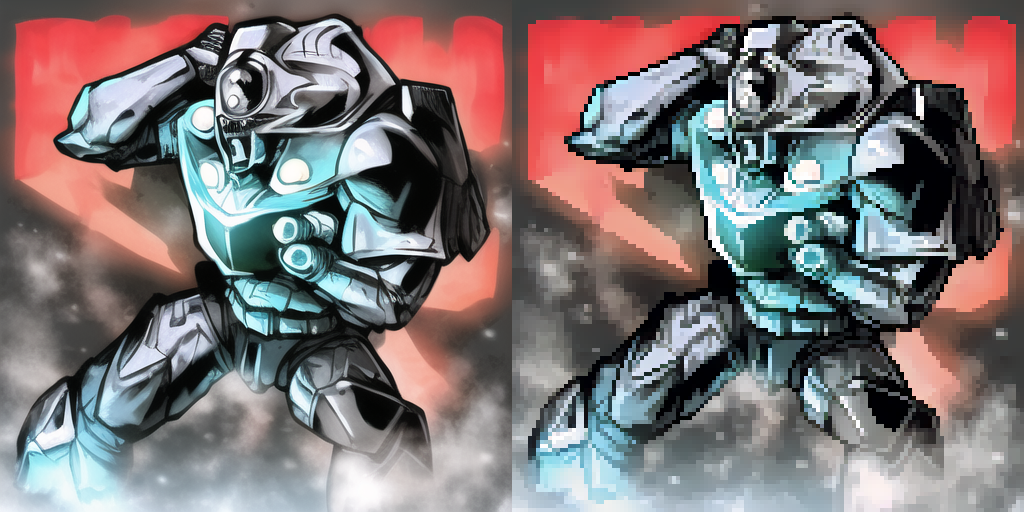
Find the UI for pixelization in the Extras tab after installing the extension.
Installation
Download all three models from the table and place them into the checkpoints directory inside the extension.
| url | filename |
|---|---|
| https://drive.google.com/file/d/1VRYKQOsNlE1w1LXje3yTRU5THN2MGdMM/view?usp=sharing | pixelart_vgg19.pth |
| https://drive.google.com/file/d/17f2rKnZOpnO9ATwRXgqLz5u5AZsyDvq_/view?usp=sharing | alias_net.pth |
| https://drive.google.com/file/d/1i_8xL3stbLWNF4kdQJ50ZhnRFhSDh3Az/view?usp=sharing | 160_net_G_A.pth |
License of Pixelization seems to prevent me from reuploading models anywhere and google drive makes it impossible to download them automatically.
Credits
- Original repo: https://github.com/WuZongWei6/Pixelization
- Code I used for reference: https://github.com/arenatemp/pixelization_inference