 b5930abfe0
|
||
|---|---|---|
| javascript | ||
| models | ||
| scripts | ||
| static/images | ||
| style | ||
| wildcards | ||
| .gitignore | ||
| LICENSE | ||
| README.md | ||
| install.py | ||
| style.css | ||
| style.css.map | ||
README.md



stable-diffusion-webui-eyemask
This extension is for AUTOMATIC1111's Stable Diffusion web UI
Capabilities
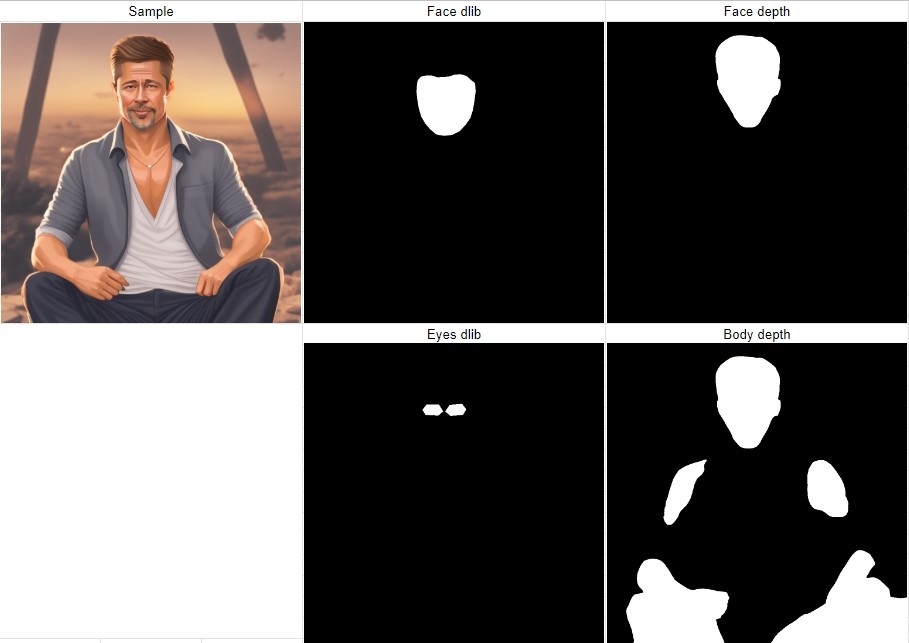
- Create mask for eyes / face / body and redraw by multiple params
- Wildcards for mask prompt and original prompt
- Using of different model just for masked area redraw
- Mask padding in px or percents
- Mask previews
- Separate embedded version of the script (enabled from settings)
- Batch mode support
- Custom API routes (including serving static files)
Put all wildcards files in /wildcards dir.
Usage
Demo video: https://www.youtube.com/watch?v=Q5PIFd7XsjM
- Enable the extension and enter your eye mask prompt
- Enter your original prompt
- Select mask type
- Select a model for mask redraw if you want other model
- Select mask padding if you want bigger area for redraw
- Select mask preview if you want to check the mask
- You can use placeholders in mask prompt and original prompt:
- Go to the /extensions/stable-diffusion-webui-eyemask/wildcards dir and create a text file (for example my-wildcard.txt)
- Write your wildcards on new lines in this file
- Use this wildcard in the mask prompt or original prompt as __my-wildcard__ and a random line will be used
- If you want to use each line in order, the wildcard file name must end with _each
- You can use multiple wildcards in one prompt
- You can use wildcards in the mask prompt and the original prompt at the same time
Install
Use Install from URL option with this repo url.
Requirements
- dlib==19.24.0
- setuptools
- cmake
All requirements will be installed on first use. You may need to install cmake manually.
Examples
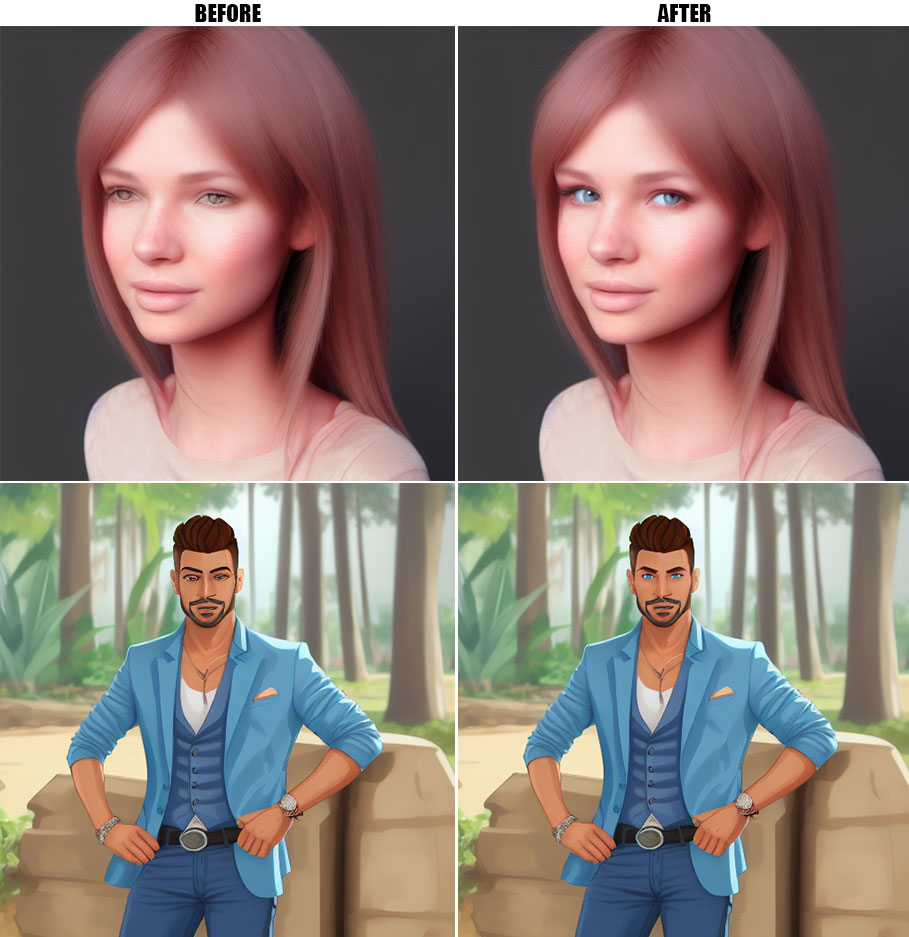
Mask types
- Eyes dlib
- Face dlib
- Face depthmask
- Body depthmask
Contributing
Feel free to submit PRs to develop!