 1c3ab7a116
|
||
|---|---|---|
| scripts | ||
| tools | ||
| .gitignore | ||
| .gitmodules | ||
| LICENSE | ||
| README.md | ||
| settings_section.png | ||
| tag_group_by.png | ||


README.md
Aesthetic Image Scorer

Extension for https://github.com/AUTOMATIC1111/stable-diffusion-webui
Calculates aestetic score for generated images using CLIP+MLP Aesthetic Score Predictor based on Chad Scorer
See Discussion
Saves score to windows tags with other options planned
Installation
Clone the repo into the extensions directory and restart the web ui:
git clone https://github.com/tsngo/stable-diffusion-webui-aesthetic-image-scorer extensions/aesthetic-image-scorer
or use the Extensions tab of the webui to Install from URL
https://github.com/tsngo/stable-diffusion-webui-aesthetic-image-scorer
To upgrade do:
git pull
or use Extensions tab to upgrade.
After restarting the ui, see settings for options
Features
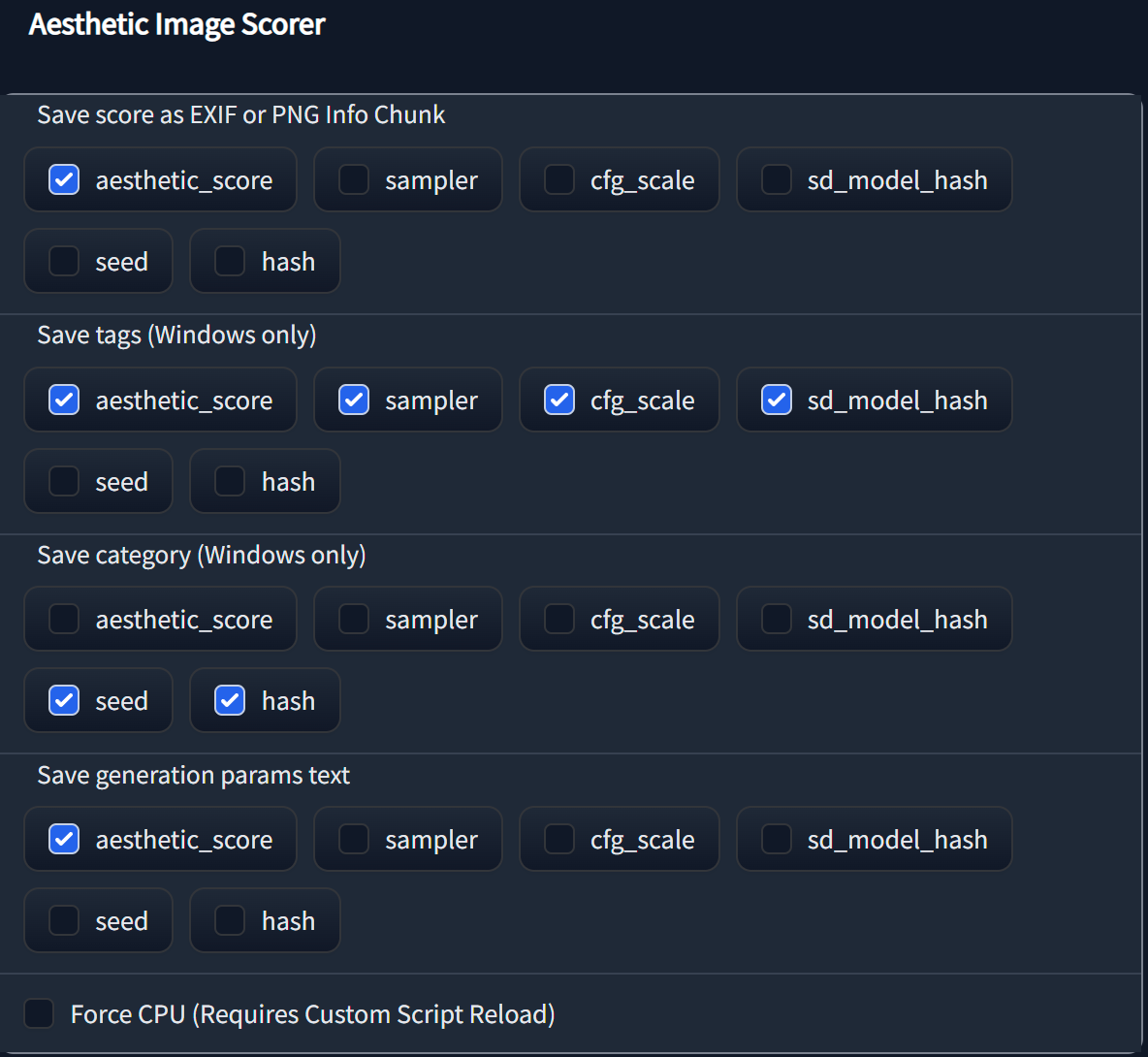
- Save aesthetic score and other things
hashis a md5 hash of prompt, negative prompt, dimensions, steps, cfg scale, seed, model hash (experimental). Don't rely on this.- rest should be obvious
- Save as EXIF or PNG Info Chunk (Only PNG Chunk Info currently)
- Save as tag (Windows Only)
- Added to tags as
aesthetic_score_5.9 - JPG supports by default. PNG tags requires a 3rd party software like File Meta. Here is a walkthrough to add tagging for unsupported filetypes.
- Added to tags as
- Save as category (Windows Only)
- Save as generation parameter text
- Run prediction using CPU
FAQs
- If you want to add score to existing images, try running Extra->Batch from directory without upscaling. The new images will get the score.
- If seeing this error
Aesthetic Image Scorer: Unable to write tag or category- Make sure you're using the latest webui and this extension
- If still seeing this, post your settings from the settings page, your OS and whether you're saving PNG or JPG
- If seeing this error
Aesthetic Image Scorer: Unable to load Windows tagging script from tools directory- Check if the tools directory has add_tags.py