## sd-webui-controlnet
(WIP) WebUI extension for ControlNet
This extension is for AUTOMATIC1111's [Stable Diffusion web UI](https://github.com/AUTOMATIC1111/stable-diffusion-webui), allows the Web UI to add [ControlNet](https://github.com/lllyasviel/ControlNet) to the original Stable Diffusion model to generate images. The addition is on-the-fly, the merging is not required.
ControlNet is a neural network structure to control diffusion models by adding extra conditions.
Thanks & Inspired: kohya-ss/sd-webui-additional-networks
### Limits
* Dragging large file on the Web UI may freeze the entire page. It is better to use the upload file option instead.
* Just like WebUI's [hijack](https://github.com/AUTOMATIC1111/stable-diffusion-webui/blob/3715ece0adce7bf7c5e9c5ab3710b2fdc3848f39/modules/sd_hijack_unet.py#L27), we used some interpolate to accept arbitrary size configure (see `scripts/cldm.py`)
* Processor thresholds are set in `scripts/processor.py`. Change it if needed.
* ~~Batch size > 1 or Latent Upscale will encounter errors.~~ (fixed)
* ~~MiDas Mode not working due to init issue.~~ (fixed)
### Install
Some users may need to install the cv2 library before using it: `pip install opencv-python`
Install prettytable if you want to use img2seg preprocessor: `pip install prettytable`
1. Open "Extensions" tab.
2. Open "Install from URL" tab in the tab.
3. Enter URL of this repo to "URL for extension's git repository".
4. Press "Install" button.
5. Reload/Restart Web UI.
### Usage
0. Open "txt2img" tab, write your prompts first.
1. Put the ControlNet models (`.pt`, `.pth`, `.ckpt` or `.safetensors`) inside the sd-webui-controlnet/models folder.
2. Press "Refresh models" to update the models list.
3. Upload your image and select preprocessor, done.
Currently it supports both full models and trimmed models. Use `extract_controlnet.py` to extract controlnet from original `.pth` file.
Pretrained Models: https://huggingface.co/lllyasviel/ControlNet/tree/main/models
### Examples
| Source | Input | Output |
|:-------------------------:|:-------------------------:|:-------------------------:|
| (no preprocessor) |  |
|  |
| (no preprocessor) |
|
| (no preprocessor) | 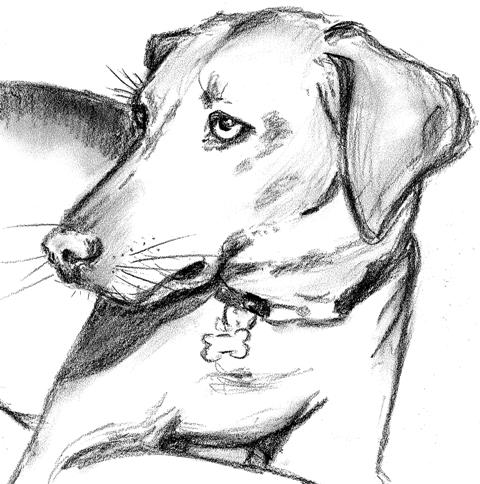 |
|  |
|
|
| |
|  |
|  |
|
|
| |
|  |
|  |
|
|
| |
|  |
|  |
|
|
| |
| 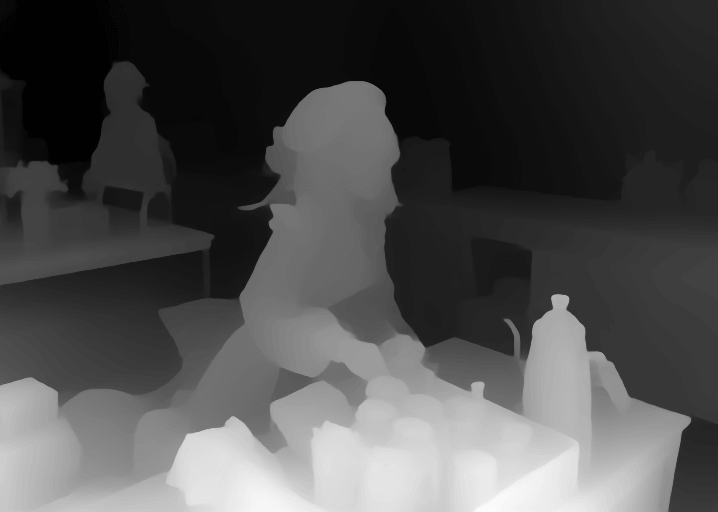 |
|  |
|
|
| |
|  |
|  |
### Minimum Requirements
* (Windows) (NVIDIA: Ampere) 4gb - with `--xformers` enabled, and `Low VRAM` mode ticked in the UI, goes up to 768x832
|
### Minimum Requirements
* (Windows) (NVIDIA: Ampere) 4gb - with `--xformers` enabled, and `Low VRAM` mode ticked in the UI, goes up to 768x832