 db1e3d24d0
|
||
|---|---|---|
| scripts | ||
| README.md | ||
| model-keyword-user.txt | ||
| model-keyword.txt | ||
README.md
model-keyword
Automatic1111 WEBUI extension to autofill keyword for custom stable diffusion models.
Installation
Copy the url of that repository into the extension tab and press "Install"

From "Extensions/Installed" tab press "Apply and restart UI".

Usage
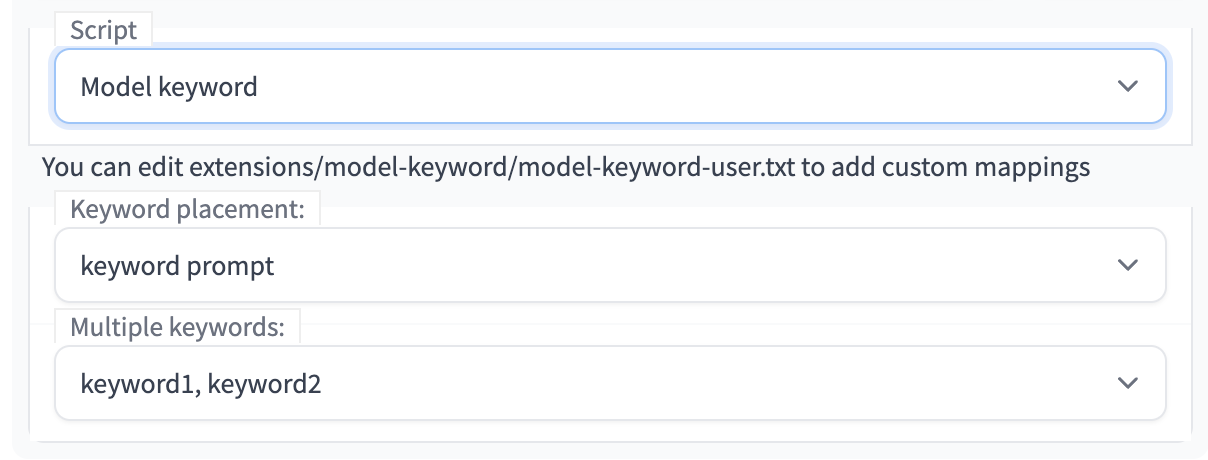
From txt2img, img2img tab, select "Model keyword" from Script:
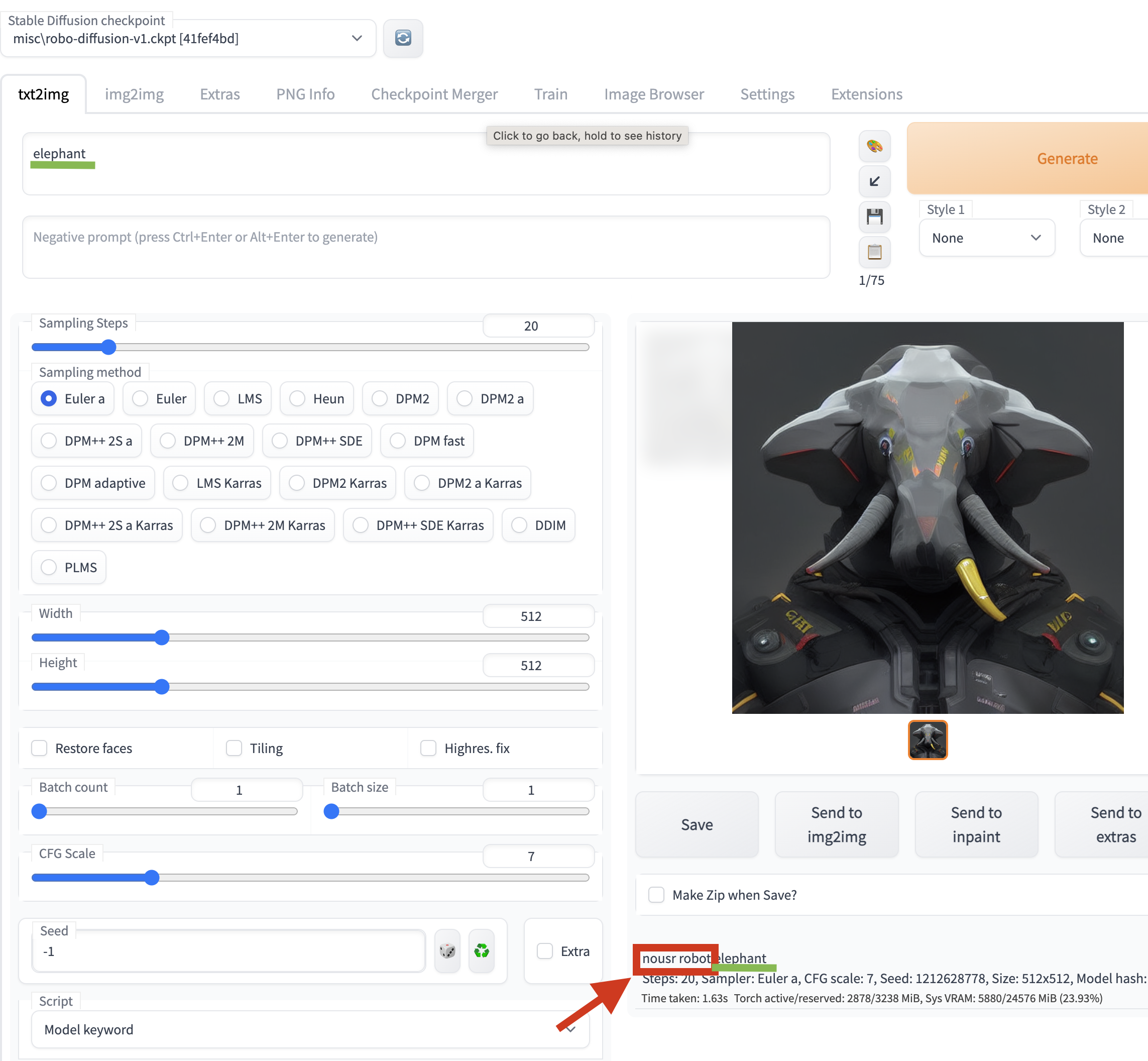
When generating image, the extension will try to figure out which model is used and insert matching keyword to the prompt:
Keyword placement

Multiple keywords

Adding custom mappings
Edit extensions/model-keyword/model-keyword-user.txt