 2d0c143370
|
||
|---|---|---|
| assets@b4d5897f41 | ||
| configs | ||
| scripts | ||
| .gitignore | ||
| .gitmodules | ||
| LICENSE | ||
| README.md | ||
| README_CN.md | ||
| install.py | ||
| requirements.txt | ||
README.md
miaoshouai-assistant
MiaoshouAI Assistant for Automatic1111 WebUI
1.80 Fixed download problem in webui 1.60; Added support for model sorting; Model version, sub-folder support for download; Other bug fixes and improvements
1.70 Improved search capability for Civitai to include keyword search in model names; Now supports SDXL model search (Data source update and full of restart webui update required) and filter model by tags. Fixed model loading error.
1.60 Add VRAM garbage collection for image generation so that VRAM is freed up after every run; if your run into out of memory, just go to Boot Assistant and click "VRAM Release" to free up the memory.
1.50 Rewrote how assets are loaded to largely reduce the size and installation time for the extension. (extension reinstall is needed for this version and up). Added download covers for all models.
1.40 Add new feature for using GPT to generate prompts. Fixed sub folder support for model management
1.30 Add support for LyCoris(just put them in the lora folder, LyCoris extension is needed.); Cleanup work for git to reduce project size
1.20 Add support for model search. Allow model to load directly from model management. Now you can update model source directly under update tab.
1.10 Add support for Lora, embedding and hypernetwork models under model manangement. bug fixes.
Installation
In Automatic1111 WebUI, go to Extensions Tab->Install from URL, copy the following address in "URL for extension's git repository".
https://github.com/miaoshouai/miaoshouai-assistant.git
Click Install, wait until it's done. Go to Settings-> Reload UI
Usage
Boot Assistant
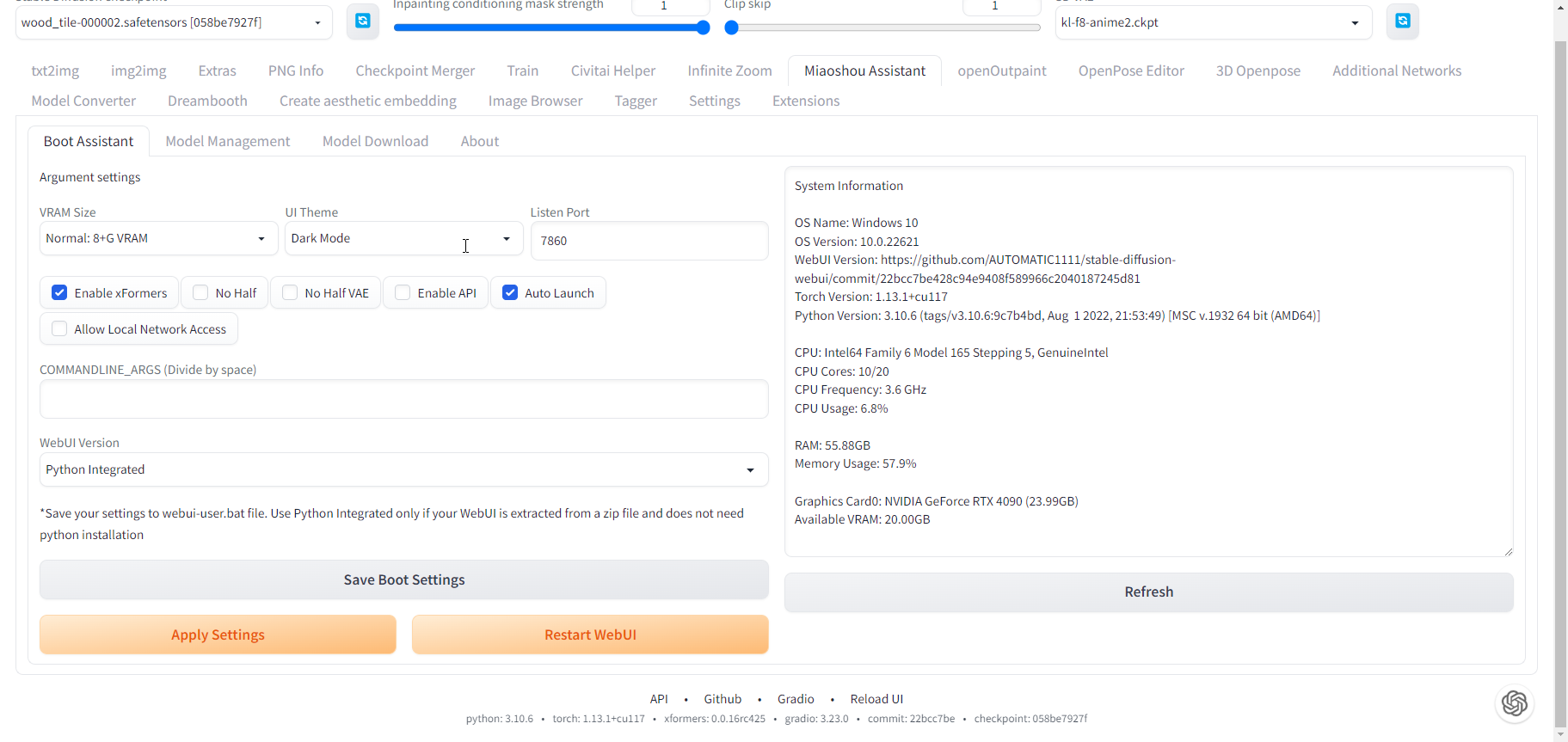
-
Allows you to change your webui boot settings including: GPU optimization, UI Theme, enable port listening, xformers, auto launch, etc.
-
Allows you to save all your settings to your webui-user.bat/other boot script for your webui.
Model Management
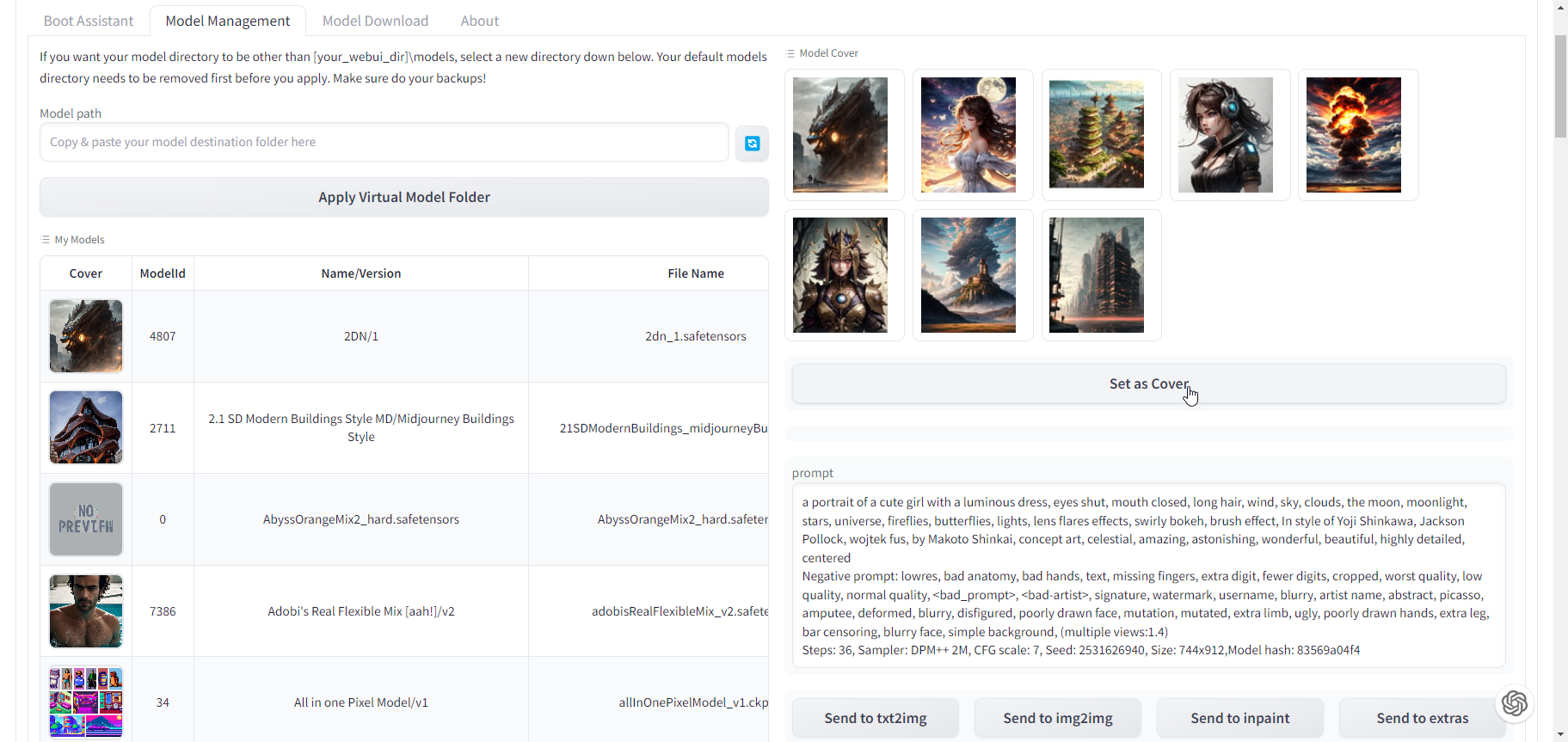
- Allows you to view all your models and view the model civitai prompts and parameters from the covers. You can easily send these civitai prompts to txt2img/img2img/inpainting/extra
Model Downloader
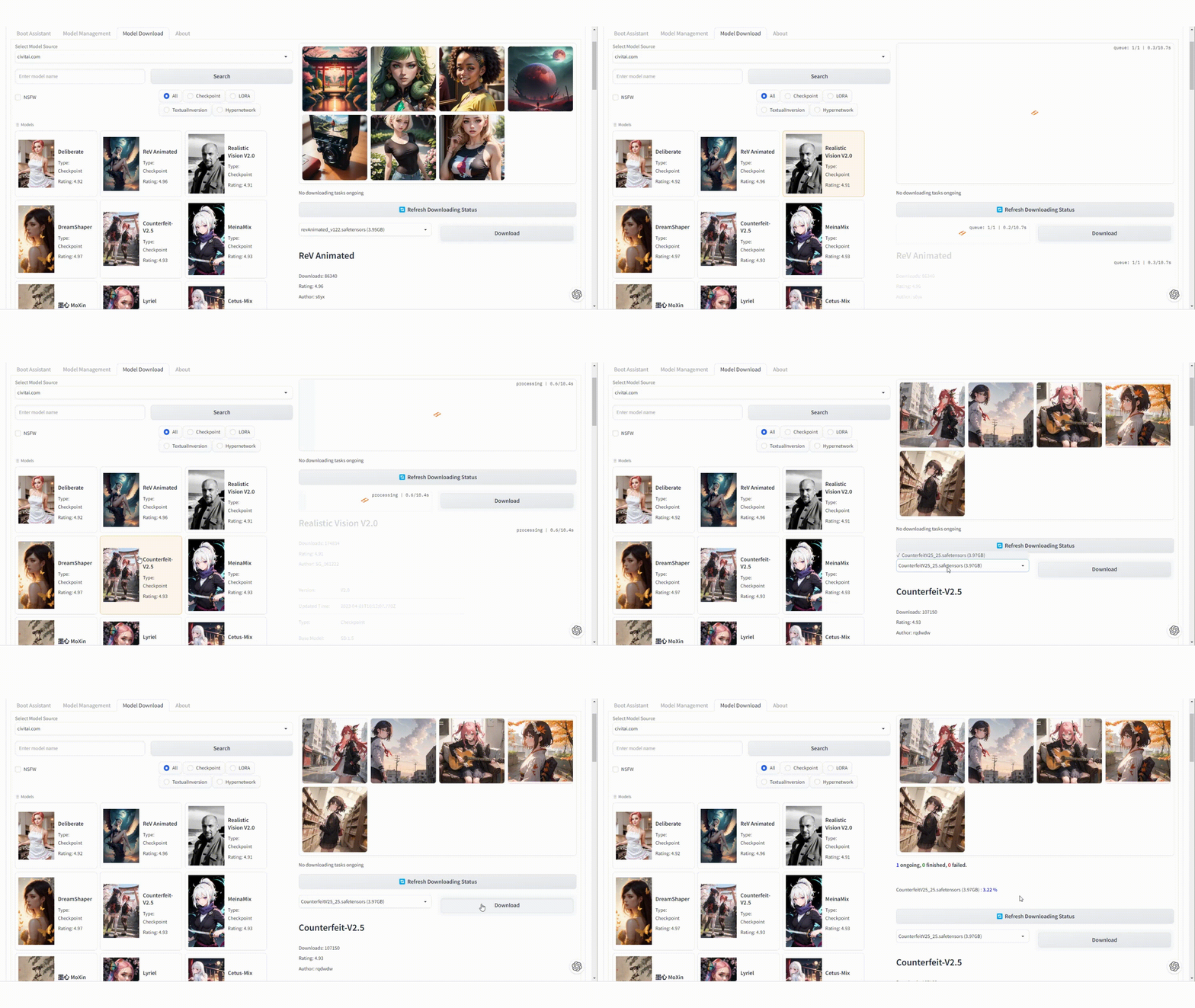
- Allows you to search and download models from civitai.com or liandange.com, find the model type you want
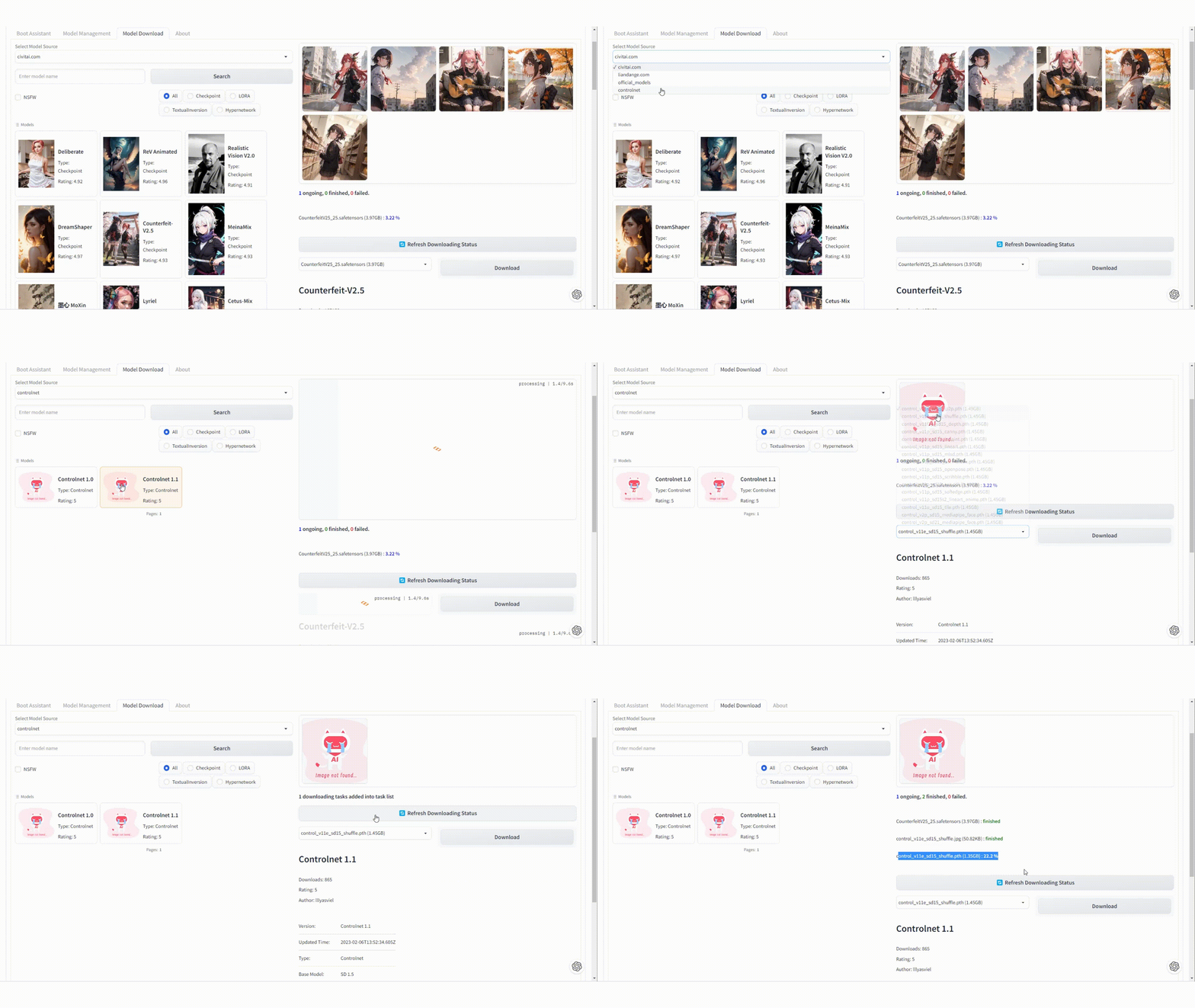
- It also allows you to find 1.5, 2.1 official models, controlnet models or different vae models.