 8c8d8c142d
|
||
|---|---|---|
| img | ||
| javascript | ||
| scripts | ||
| .gitignore | ||
| README.cn.md | ||
| README.md | ||
README.md
Language
Stable-Diffusion-Webui-Civitai-Helper
Stable Diffusion Webui Extension for Civitai, to handle your models much more easily.
Notice
Latest v1.3 is powerful but experimental. If you have issue, you can go back to 1.2.1 by download old version from Civitai: Civitai Url
Features
- Scans all models to download model information and preview images from Civitai.
- Modified Built-in "Extra Network" cards, to add the following buttons on each card:
- 🖼: Modified "replace preview" text into this icon
- 🌐: Open this model's Civitai url in a new tab
- 💡: Add this model's trigger words to prompt
- 🏷: Use this model's preview image's prompt
Install
Go to SD webui's extension tab, go to Install from url sub-tab.
Copy this project's url into it, click install.
Alternatively, download this project as a zip file, and unzip it to Your SD webui folder/extensions.
Then reload UI with "Reload UI" Button in Setting tab.
Done.
How to Use
Scanning Models
Go to extension tab "Civitai Helper". There is a button called "Scan model".

Click it and the extension will scan all your models to generate SHA256 hashes, using them to retreive model information and preview images from Civitai.
Scanning takes time, just wait it finish
For each model, it will create a json file to save all model info from Civitai. This model info file will be "Your_model_name.civitai.info" in your model folder.
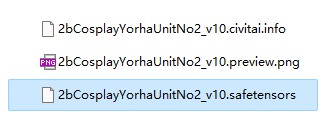
If a model info file already exists, it will be skipped. If a model cannot be found in Civitai, it will create an empty model info file, so the model won't be scanned twice.
Adding New Models
When you have some new models, just click scan button again, to get new model's information and preview images. It won't scan the same model twice.
Model Card
(Use this only after you scanned your models!) Open SD webui's build-in "Extra Network" tab, to show model cards.
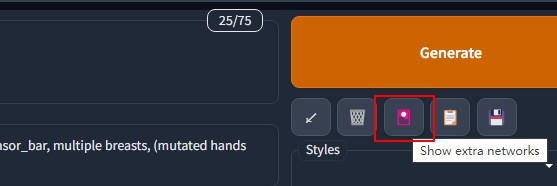
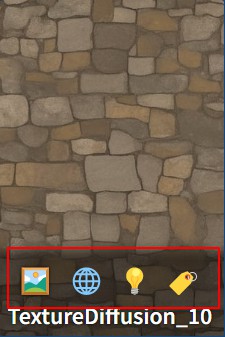
Move your mouse on to the bottom of a model card. It will show 4 icon buttons:
- 🖼: Modified "replace preview" text into this icon
- 🌐: Open this model's Civitai url in a new tab
- 💡: Add this model's trigger words to prompt
- 🏷: Use this model's preview image's prompt
If these additional buttons are not there, click the Refresh Civitai Helper button to bring them back.
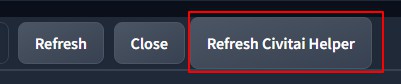
Everytime after Extra Network tab refreshed, it will remove all these additional buttons. So, you need to click Refresh Civitai Helper button to bring them back.
Preview Image
Extra network uses both model_file.png and model_file.preview.png as preview image. But model_file.png has higher priority, because it is created by yourself.
When you don't have the higher priority one, it will use the other automatically.
Prompt
When you click the button "Use prompt from preview image", it does not use the prompt from your own preview image. It uses the one from civitai's preview image.
On civitai, a model's preview images may not has prompt. This extension will check this model's all civitai preview images' information and use the first one has prompt in it.
Enjoy!
Known Issues
- It cannot force a model link to Civitai by model ID for now. This will be added later.
Change Log
v1.3
- Open url at client side
- Link selected model to civitai by url or model id
- Save and load extension setting to file
- Show button action's output to UI
- Code refactoring
v1.2.1
- Add more error checking to work with different versions of SD webui.
v1.2
- Support customer model folder
- Support readable model info file
- Support download preview image with max size
- Remove card buttons when extra network is in thumbnail mode
v1.1
- Support subfolders
- Check if refresh is needed when clicking "Refresh Civitai Helper"
- Add space when adding trigger words
- Add memory Optimized sha256 as an option