 bcfd6f994d
|
||
|---|---|---|
| RAFT | ||
| examples | ||
| old_scripts | ||
| scripts | ||
| .gitignore | ||
| LICENSE | ||
| install.py | ||
| readme.md | ||
| requirements.txt | ||
readme.md
SD-CN-Animation
This project allows you to automate video stylization task using StableDiffusion and ControlNet. It also allows you to generate completely new videos from text at any resolution and length in contrast to other current text2video methods using any Stable Diffusion model as a backbone, including custom ones. It uses 'RAFT' optical flow estimation algorithm to keep the animation stable and create an inpainting mask that is used to generate the next frame. In text to video mode it relies on 'FloweR' method (work in progress) that predicts optical flow from the previous frames.
Video to Video Examples:
 |
 |
 |
| Original video | "Jessica Chastain" | "Watercolor painting" |
Examples presented are generated at 1024x576 resolution using the 'realisticVisionV13_v13' model as a base. They were cropt, downsized and compressed for better loading speed. You can see them in their original quality in the 'examples' folder.
Text to Video Examples:
 |
 |
 |
| "close up of a flower" | "bonfire near the camp in the mountains at night" | "close up of a diamond laying on the table" |
 |
 |
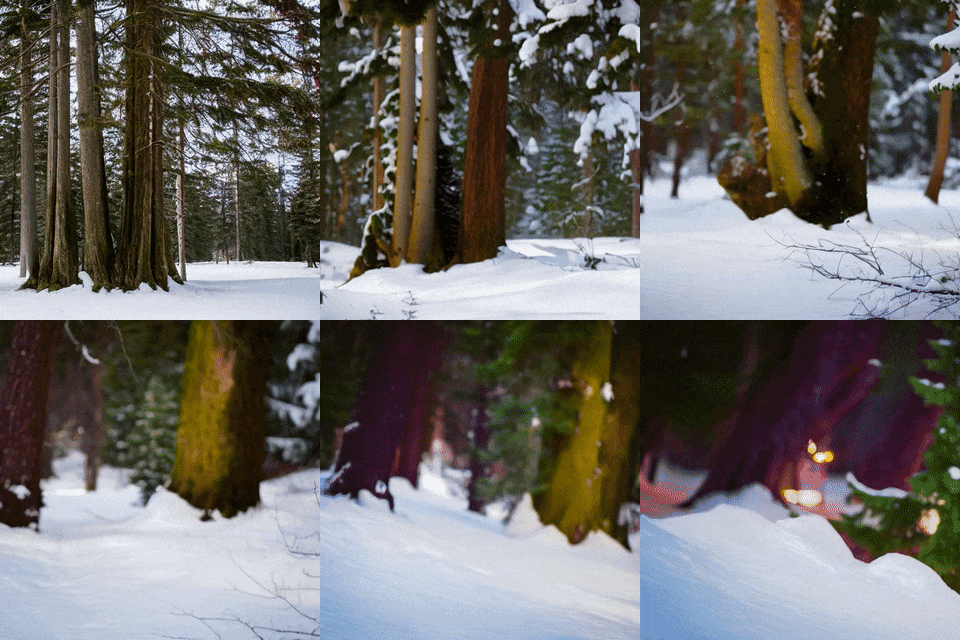 |
| "close up of macaroni on the plate" | "close up of golden sphere" | "a tree standing in the winter forest" |
All examples you can see here are originally generated at 512x512 resolution using the 'sd-v1-5-inpainting' model as a base. They were downsized and compressed for better loading speed. You can see them in their original quality in the 'examples' folder. Actual prompts used were stated in the following format: "RAW photo, {subject}, 8k uhd, dslr, soft lighting, high quality, film grain, Fujifilm XT3", only the 'subject' part is described in the table above.
Installing the extension
~TODO~
Download RAFT 'raft-things.pth' from here: [RAFT link] and place it into 'stable-diffusion-webui/models/RAFT/' folder. All generated video will be saved into 'outputs/sd-cn-animation' folder.
Last version changes: v0.6
- Complete rewrite of the project to make it possible to install as a Automatic1111/Web-ui extension.
- Added separate flag '-rb' for background removal process at the flow computation stage in the compute_flow.py script.
- Added flow normalization before rescaling it, so the magnitude of the flow computed correctly at the different resolution.
- Less ghosting and color change in vid2vid mode
- Added "warped styled frame fix" at vid2vid mode that removes image duplicated from the parts of the image that cannot be relocated from the optical flow.